
You may have heard that your site now needs an llms.txt file to stay visible in AI search. The claim sounds urgent, and some providers already sell it as a must-have service. This guide slows the story down and checks what the file really is.
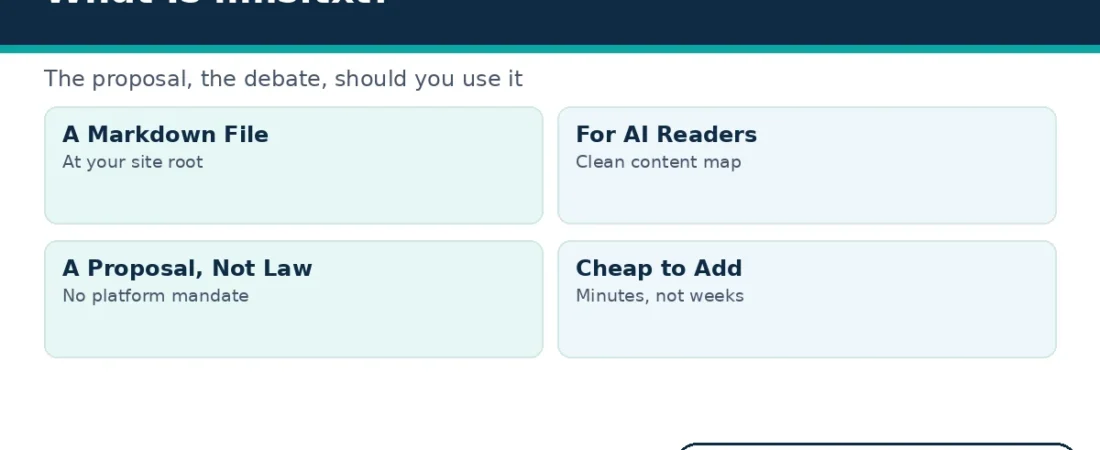
In short, llms.txt is a small Markdown file that sits at the root of a website. It gives AI systems a clean, curated map of your most useful pages, with short notes beside each link. Whether your site needs one is a separate question, and this guide answers it honestly.
What llms.txt Is
An llms.txt file is a plain text file written in Markdown, a simple formatting style that uses plain characters. You place it at the root of your domain, where any tool can request it directly. Unlike a normal web page, it speaks to machines first and people second.
Inside, the file lists the pages you most want an AI system to understand. Each link carries a brief note that explains what the page covers and why it matters. The file also skips the clutter of a full site, such as menus, footers and pop-ups.
Think of it as a short reading list you hand to an AI assistant. Instead of crawling every page and guessing what matters, the assistant starts with your own highlights. That guidance is the whole idea behind the proposal.
Also, the file stays optional reading for every visitor. Nothing on your site breaks if an AI tool ignores it completely. And nothing forces a tool to open it, which separates it sharply from crawler control files.
Finally, the file is completely public, and that openness is deliberate. Anyone can open it in a browser, including you, your rivals and your customers. So the file should never hold private notes, draft links or internal comments.
Where the llms.txt Proposal Came From
The idea was published as an open proposal in 2024. It is credited to Jeremy Howard, a well-known figure in the data science and AI community. The full proposal, its format rules and its reasoning live on the llmstxt.org proposal site.
The proposal grew from a practical frustration. AI tools often struggle with normal websites, because pages mix content with ads, scripts and navigation. A clean text file removes that noise and hands the tool your content in a tidy form.
However, a proposal is not a standard. No standards body has adopted the format, and no search platform requires the file today. That gap between proposal and standard matters for every claim you hear about it.
What an llms.txt File Looks Like
The proposed format stays deliberately simple. The file opens with the site name written as its main heading. Next comes a short summary of the site, set out as a quoted introduction.
After that, the file groups links into labelled sections. Each section covers one area, such as guides, products or support pages. Beside every link sits a short note that describes the page in plain words.
Here is a short invented example for a fictional bakery. It shows the shape of the file without any real site data.
Brightpath Bakery.
A family bakery in Portland that sells fresh bread and teaches home bakers.
Guides.
Sourdough starter guide (https://example.com/guides/sourdough-starter): How to create, feed and store a starter.
Bread shaping basics (https://example.com/guides/bread-shaping): Simple shaping steps with photos.
Products.
Weekly bread box (https://example.com/products/bread-box): What is inside the subscription box and how delivery works.
Notice what the example leaves out. It lists only the pages the owner most wants understood, not every page on the site. Curation, not completeness, is the point of the format.
The notes beside each link do the real work in the file. A good note names the page topic, its audience and its best use in one short line. A lazy note just repeats the page title, which adds nothing for any reader.
Some proposals also describe a companion file that holds full page text. This guide focuses on the main file, because it is the version sites actually publish today.
llms.txt, robots.txt and sitemap.xml: Three Files, Three Jobs
Site owners already manage two similar files, so a quick comparison prevents confusion. The table below sets the three files side by side. Each one does a different job for a different reader.
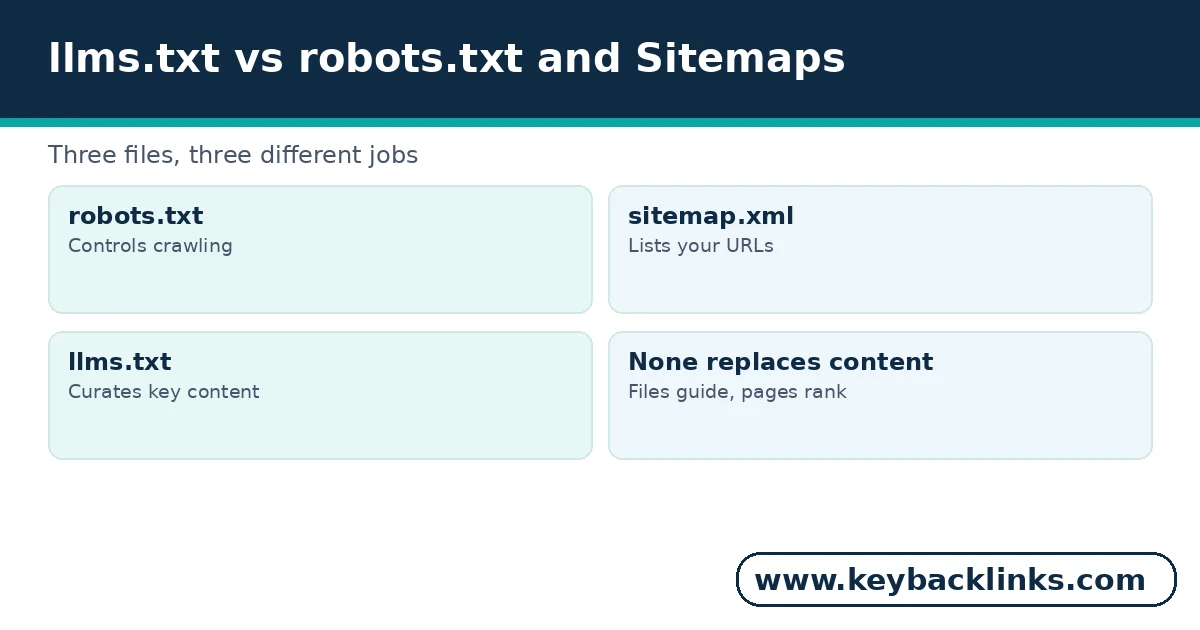
Two lessons follow from the comparison. First, llms.txt does not replace either older file, and neither older file does its job. Second, and more important, none of these files replaces good pages.
A crawler file can only point at content. If the content itself is thin, unclear or outdated, the pointer changes nothing. Strong pages remain the foundation that every file simply describes.
The Honest Debate About llms.txt
Supporters make one fair point first. Adding the file costs almost nothing, and it takes minutes rather than weeks. If even one AI tool reads it, the small effort may pay off.
However, critics answer with the evidence, and the evidence is thin. No major search platform has mandated the file, and none has confirmed that it affects rankings. Google and the big AI labs have stayed notably quiet about using it as a signal.
Therefore, treat any promised AI search boost as unproven. A provider who sells the file as a guaranteed visibility win is selling hope, not data. The honest pitch is narrower: the file is cheap, tidy and harmless.
What should an honest provider say about the file? Simply that it may help AI tools read a large site more cleanly. Anything stronger needs evidence that does not exist yet.
Why did the hype spread so fast, then? New AI topics create easy products, and a one-file service is simple to package and sell. That sales pressure, not fresh evidence, explains most of the urgent language around the file.
In short, the real argument here is housekeeping, not magic. The file organises your best content in a form machines read easily. Judge it as a small tidy-up task, and the hype falls away.
We Run llms.txt on KeyBacklinks
This site already serves an llms.txt file, so we can describe the reality rather than the theory. The file is generated by Yoast, the SEO plugin this site uses. Turning it on took a settings change, not a development project.
The generated version lists the site name and a short description at the top. Below that, it collects our most important posts and pages as plain links. It updates itself as we publish, so the map never drifts far from the live site.
A hand-curated file would add two things the automatic version lacks. First, it would rank our pages by usefulness instead of listing them evenly. Second, it would add a short human note beside each link, written for an AI reader.
That gap sums up the whole topic neatly. Automation gives you the file, while judgement gives you the curation. The second part is where any real value would sit.
We also read our generated file once, line by line, before trusting it. That quick review caught the shape of our site clearly: services first, then guides, then support pages. A ten-minute human check like that costs little and catches obvious gaps early.
Our wider ai seo services guide explains how small files like this one fit the broader AI visibility picture.
Five Checks Before You Add the File
Before you add the file, run through five quick checks. They take minutes, and they stop the task becoming pure trend chasing.
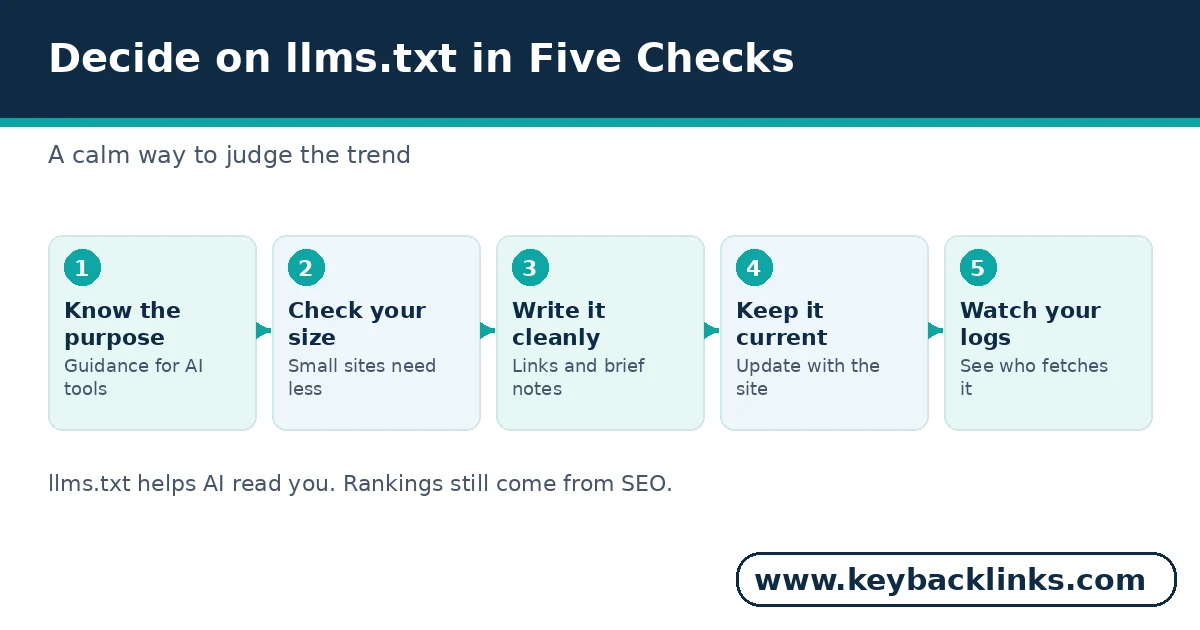
Check One: Do AI Tools Send You Anything?
Look at your referrals and enquiries first. If buyers never mention AI answers, the file drops down your priority list.
Check Two: Is Your Content Worth Curating?
The file only points at pages, so weak pages stay weak. Fix thin or unclear pages before you advertise them to machines.
Check Three: Can You Keep It Current?
A stale llms.txt file misleads readers about your site. If nobody will update it, an automatic version is the safer choice.
Check Four: Are the Basics Already Done?
Crawl errors, slow pages and missing basics cost you more than a missing text file. Handle those first, because they affect every visitor today.
Check Five: Will You Check the Logs?
Adding the file blind wastes its one measurable benefit. Plan to watch your server logs, as the next section explains.
If most checks point the same way, trust them and move on. This decision deserves minutes of thought, not a meeting. Your content calendar will repay the saved time far better.
How to Check Whether AI Crawlers Fetch Your File
Server logs give you the only hard evidence in this whole debate. Your server records every request for your llms.txt file, along with the tool that asked for it. Then you can read the visitor label beside each request and see exactly who came.
AI crawlers identify themselves with names such as GPTBot, ClaudeBot and PerplexityBot. If those names appear beside requests for the file, at least the reading part is real. If months pass with no such request, you have learned something useful too.
Also, repeat the check after big site changes. A redesign or a migration can change which file version the server returns. One quick log search confirms that the new file is live and being read.
Most hosts and analytics tools can surface this data without new software. Ask your host where the raw access logs live, then search them weekly for a month. Our seo reporting guide shows how to turn raw records like these into clear decisions.
Should You Use It? A Verdict by Site Type
The honest verdict depends on the size and shape of your site. Large, documentation-heavy sites gain the most from the file. Their content is deep, technical and hard for AI tools to summarise from raw pages alone.
In contrast, small brochure sites gain the least. A five-page site is already easy for any tool to read in full. For those owners, an hour on the file is an hour not spent on content that actually ranks.
Meanwhile, most sites sit between those two poles. For them, the automatic plugin version is a sensible middle path. It costs nothing ongoing, stays current by itself, and leaves your time free for real improvements.
One risk deserves a mention for every site size, though. A stale file points AI readers at pages that moved or vanished. That quiet harm is the main reason the automatic route suits most owners.
Whatever you decide, keep the order of work straight. Google’s SEO Starter Guide covers the fundamentals that still decide rankings today. Earn the basics first, because no crawler file outranks a weak page.
How KeyBacklinks Can Help
Our own approach stays deliberately plain. We run the automatic file, we watch our logs, and we spend our real effort on content and links. If you want the same calm check of your own site, request a quote and tell us your goals.
Frequently Asked Questions
Is llms.txt required for AI tools to find my content?
No. AI systems already crawl and read normal web pages every day. The file only offers guidance about which pages matter most. Crawlers follow your normal pages, your sitemap and your links, exactly as search engines do.
Will llms.txt improve my Google rankings?
There is no evidence that it does. No platform has confirmed any ranking effect, so treat ranking claims as marketing. Instead, your rankings still rest on content, links and technical health.
What is the difference between llms.txt and llms-full.txt?
The full version goes one step further and embeds the complete text of key pages in a single file. It suits small documentation sets, but it grows large and stale quickly on bigger sites. Most sites should start with the main file and skip the full version entirely.
How often should I update the file?
Update it whenever your key pages change, or let a plugin version update itself. A file that lists deleted pages and misses new ones misleads every reader, human or machine.
Conclusion
llms.txt is a small, sensible proposal wrapped in oversized claims. The file itself is simple: a curated Markdown map of your best pages, written for AI readers. It costs little, risks nothing, and proves nothing yet about rankings.
So add it if your site is large, your content is strong, and someone will keep it current. Otherwise, take the automatic version and spend your energy where returns are proven. Either way, your pages themselves remain the asset that matters.